

Model Editor
The "Model Editor" function is used to configure fields and tabs in Client, Application, and Contract. Using this function, you can specify which fields will be required for filling, which fields need to be hidden from the interface, or conversely expand the amount of information provided about the borrower, drag fields between tabs, delete and rename them.
Access to the editor: Menu Admin → Model Editor.
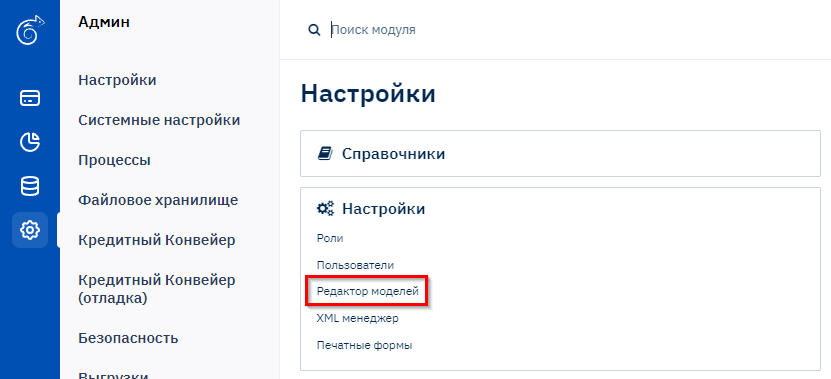
Selecting an Entity to Configure
Here you select which entity needs field configuration:
- Individual Profile
- Legal Entity Profile
- Application
- Contract
Example: Configuring fields for an Individual Profile.
- Click the Individual button.
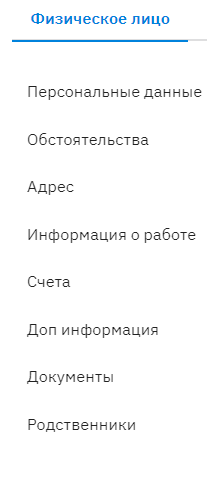
Working with Tabs
- Go to the "Personal Data" tab.

Field Configuration
List of tools for working with fields (from left to right):
- Move field to another section
- Rename field
- Change order number
- Enter data into the field
- Field visibility:
- Gray: hidden
- Blue: visible
- Green: required (system)
- Required status:
- Blue: required
- Green: required (system)
Recommendation: Go through all tabs and configure the profile according to your requirements.