

Acceptance to Shareholders
To accept a new client as a cooperative shareholder, you need to complete several steps: create a client profile, set up a personal account, create a mandatory share, and receive funds.
Creating a Client Profile
The first step is to create a new client profile. To do this, navigate to the corresponding section of the system.

In the opened profile form, check the "SHAREHOLDER" checkbox.

Setting Up a Personal Account
Initially, the "Personal Account" field will be empty. You can set the starting number or enter the required number manually. After this, the field logic will automatically increment the value by +1 relative to the previous number. For example, if you set the value to 999, the next client profile will be assigned number 1000.

Note: This field only assigns a number automatically or manually and does not constitute acceptance into the cooperative.
Creating a Share for Cooperative Acceptance
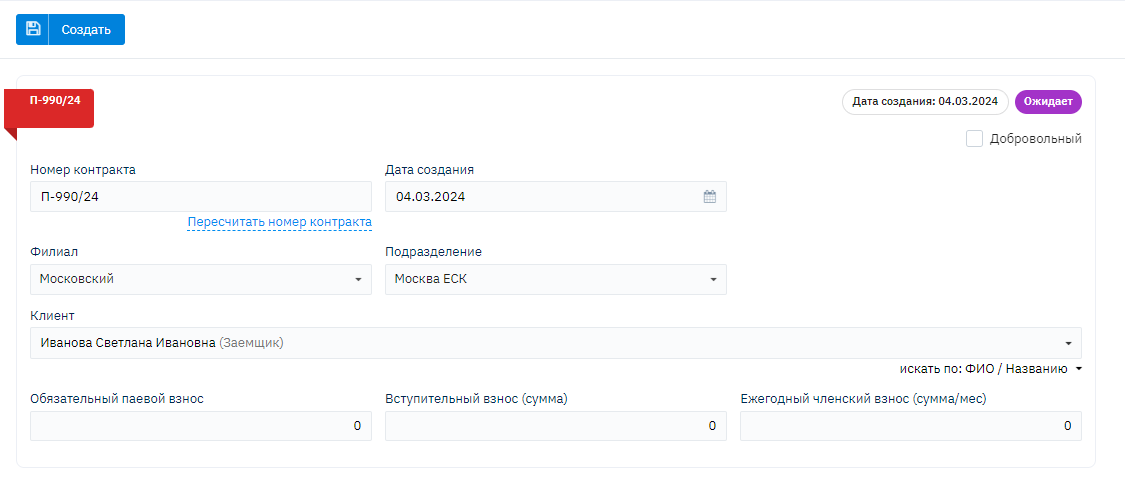
After filling out the client profile, you need to create a share for acceptance into the cooperative. The first share for cooperative acceptance is mandatory and cannot be voluntary (additional).

Select the "Create Share" action.
Receiving Funds and Completing the Process
After creating the share, receive funds by creating a CFS (Cash Flow Statement). As shown in the screenshot, immediately after creating the share, the "Share Opening Date" icon appears.
The corresponding entry about the new shareholder will appear in the "Shareholder Registry" report.