

Analytical - Application Processing Report
This report displays information about the application processing workflow. The application processing workflow is considered to be the period from application creation to the final status of "approved" or "rejected".
The report operates in several modes:
- legal entity
- branch
- department
- application status
To generate the report, navigate to "Reports" - "Analytical" - "Application Processing Report", set the period, and click the "Generate" button. Then select from the list of generated reports and download it to your PC.
Using this report, you can identify the application processing time and at which verification step the application was stopped.
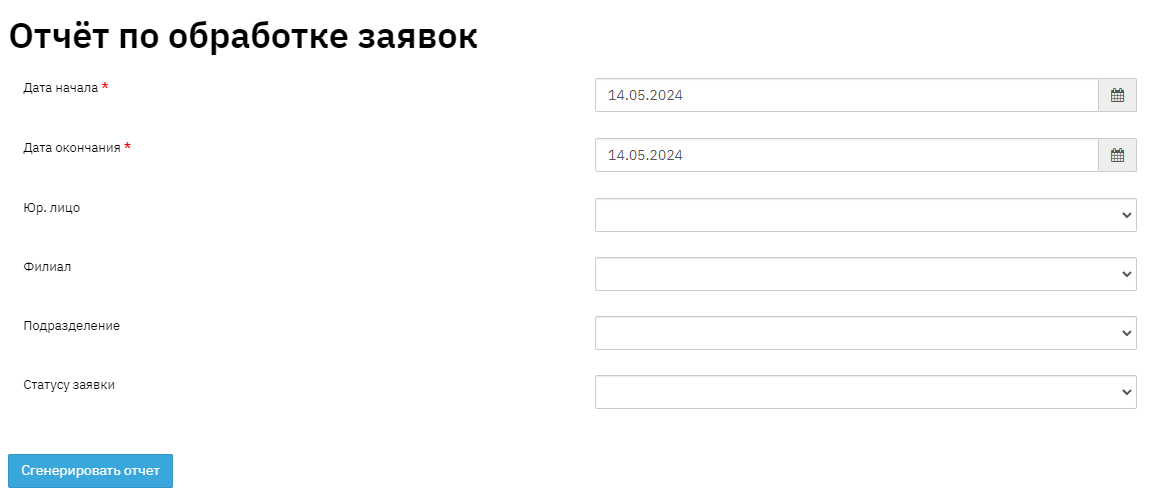
Fill in the field values, specify the period, and select the status in the filter. Then click the "Generate Report" button.

"Application Creation Date" field - this field displays information about the application creation date. The specified information is shown in the "Applications" - "Financial Information" - "Request" section.
"Client Full Name" field - this field displays the applicant's personal information – full name.
"Application #" field - this field displays the unique sequential application number.
"Application Amount" field - this field displays information about the loan application amount.
"Client Status" field - this field indicates the client's status at the time of application submission.
"Status Change Date" field - this field indicates the date when the application processing status was changed.
"Status Change Time" field - this field indicates the time spent on status change (working with the application).
"User Who Changed Status" field - this field indicates the user who changed the status.
"Application Status" field - this field indicates the application review status.
"Office" field - this field contains data about the department where the application was created.
"Application Created By" field - this field contains data about the employee who created the application.
"Client Manager" field - this field pulls information about the last employee listed in client monitoring. This data can be viewed in the client profile in the "Client" - "Service Information" section.
"Department" field - this field contains data about the department where the application was created.
"Comment" field - this field displays information about comments made during application review.