

Additional Fields for Reports
This directory is used to add additional columns to reports. Keep in mind that not all reports allow you to add custom columns.

To add a new column to a report, click the "Create" button.
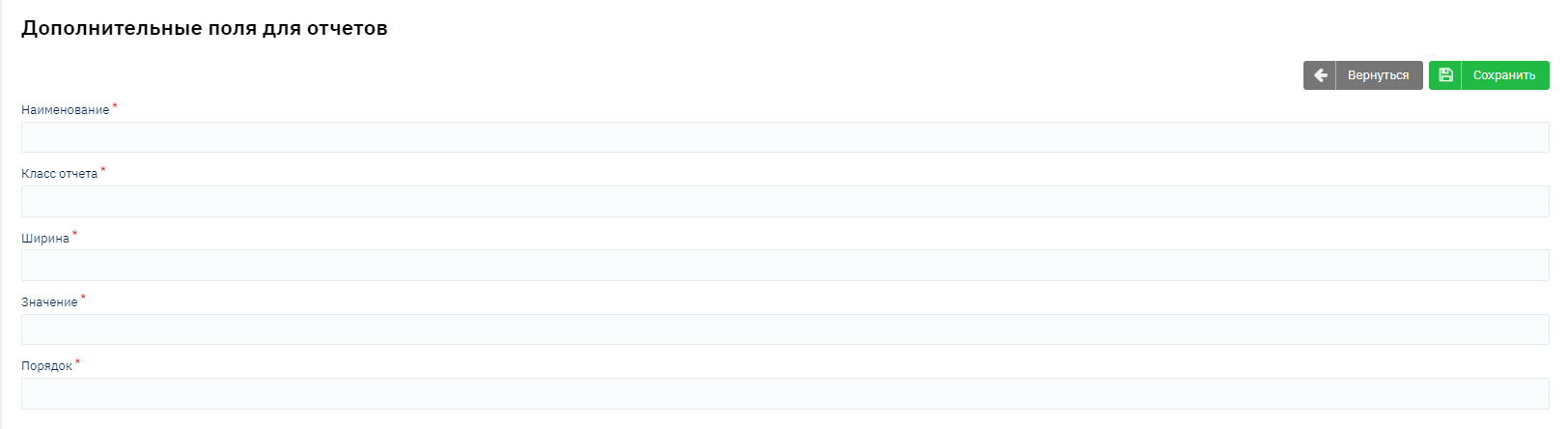
Fill in the column name.
Next, specify the report class, which can be found in the report URL. Example: active loans report - https://demo-saas.brainysoft.ru/#/report/general/activeLoans/ Report class - activeLoans. You need to specify ActiveLoans.
Specify the column width (approximately 6000).
Specify the value you want to display. For example: loan specialist - contract.getCreditOfficer().getName()
APR at issuance - contract.getFullCostOfCredit()
And specify the display order in the report.
Important to remember: this display order will only be applied to additional columns.
After filling in all the data, click the "Save" button.
After saving, verify that the column is displayed in the report.