

Method of Receiving Money
Method of receiving money is a directory that stores a list of ways to receive an approved loan. The method of receiving money must be selected when creating a Loan Application. This directory is also used in creating external and internal Cash Flow Statements.
To view the directory, go to: "Directories" > "Method of Receiving Money".
Usually, the directory is filled by technical support, but you can also make some changes (by opening the required method of receiving money by clicking on it with the left mouse button):
- change the name;
- enable/disable the method of receiving money;
- set the flag for online issuance.

To display the methods of receiving money when creating a Cash Flow Statement, you must fill in the "Payment System Code" field. The codes for the system are as follows:
- Cash (cash): cash
- Bank transfer: bank
- Payment system "Contact": contact
- Yandex.Checkout: yakassa
- Yandex.Card: yawallet
- Russian Standard Bank card: brs_card
- Mandarin Bank (issuance to bank card): mandarin
- Payment system "Arius": arius
To save changes, click the "Save" button.
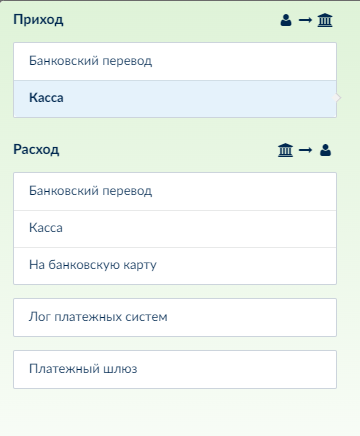
With proper directory configuration, the methods of receiving will be displayed in the Contract financial information when creating a Cash Flow Statement:
To add a new non-integrated method of receiving money, you need to contact the company's technical support.