

Basic - Cash Book
The Cash Book report is used to verify payment posting. Verification is performed by comparing data with Bank Statement and Cash Book reports in Brainysost, with cash receipt orders (PKO) and cash disbursement orders (RKO) data, as well as with external source data (1C, bank statement).
This instruction will demonstrate the breakdown of records and fields in the "Cash Book" report for a period. To obtain the report, you need to generate it by selecting "Report" - "Basic" - "Cash Book" in the taskbar, setting the period, selecting the appropriate filter if necessary, and clicking the "generate" button. Then select from the list of generated reports and download it to your PC.
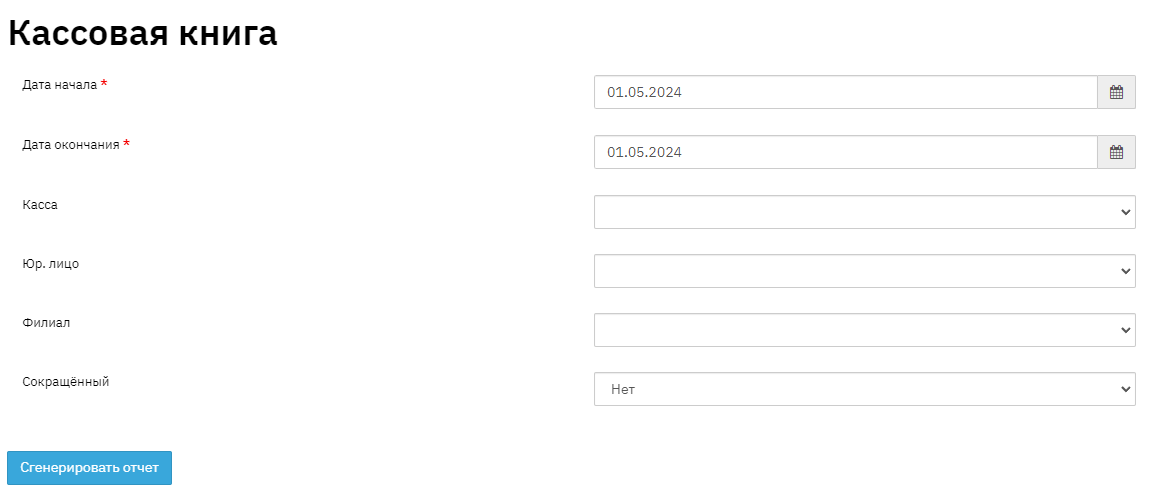
This report can be generated in different modes:
- by specific cash register
- by specific legal entity
- by specific branch
- in abbreviated mode
This type of report is generated in abbreviated mode.

- Field "No." - this field displays the sequence number in the report list.
- Field "Region" - this field displays the name of the region where the loan was opened. When filling out the Branch directory, the Region is specified.
- Field "Branch" - this field displays the name of the branch where the loan was opened. An organization may have several branches, accordingly, the report will include the branch where the loan was opened. A branch is a grouping of divisions by their territorial proximity to each other. This information is displayed in the "Contract" - "Request" section. Let me explain with an example: An organization has 3 loan issuance points in the city of Odintsovo. The city of Odintsovo will be the branch, and the 3 issuance points located in the city of Odintsovo will be divisions.
- Field "Division" - this field displays the name of the division where the loan was issued. An organization may have several divisions, accordingly, the report will include the division where the loan was opened. In the program, any issuance point is considered a division. This information is displayed in the "Contract" - "Request" section.
- Field "Cash Register" - this field displays the name of the cash register. This information is displayed in the "Contract" - "Financial Information" - "Cash Flow" section.
- Field "Document Number" - this field specifies the document number and type.
- Field "Received from or issued to" - this field specifies the borrower's full name or the payer's full name with the amount distributed by repayment type.
- Field "Corr. accounts" - this field specifies the correspondent account number
- Field "Income" - this field specifies the amount of incoming operations. This information is displayed in the "Contract" - "Financial Information" - "Cash Flow" section.
- Field "Expense" - this field specifies the amount of outgoing operations. This information is displayed in the "Contract" - "Financial Information" - "Cash Flow" section.