

Banks
Banks – a directory designed to store information about banks and settlement accounts used for creating Cash Flow Statements, for adding filters in reports such as "Settlement Account Statement", "Cash Flow Control", "Actual Repayment", etc. The Banks directory is used when filling out the Branches directory, as well as when creating a Client (Legal Entity), where information from this directory is pulled into the "Bank" field in the "Client Accounts" collection.
To view the directory, follow the link: "Directories" > "Banks".

To add a new bank, click the "Create" button
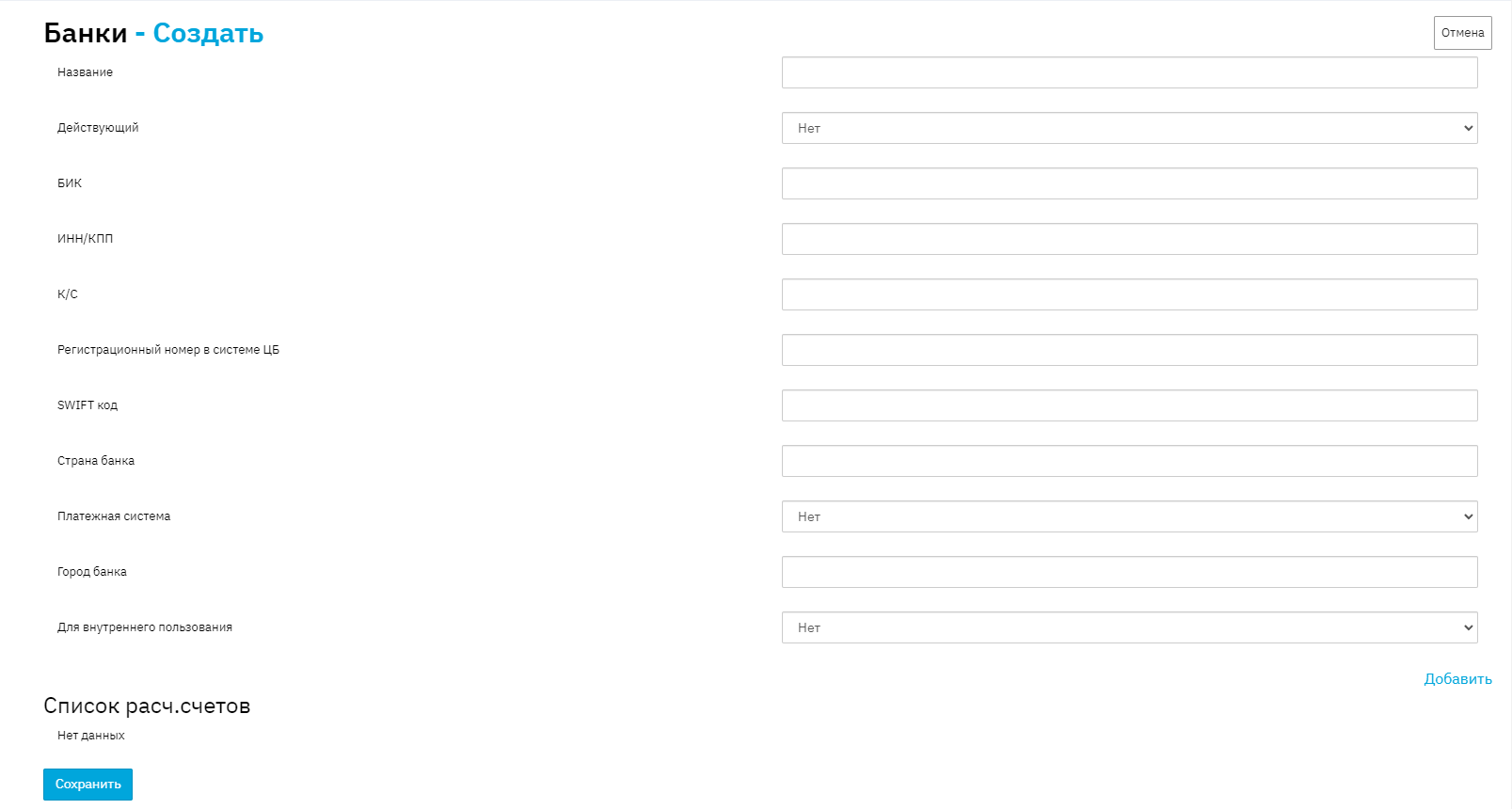
Name - the bank name is specified here.
Active - indicates whether the bank is active or inactive
BIC - the bank's BIC is specified
TIN/RRC - the bank's TIN and RRC are specified
Correspondent Account - the bank's correspondent account is specified
Registration number in the Central Bank system - the bank's registration number in the Central Bank system is specified (4 digits).
SWIFT code - the bank's SWIFT code is specified
Bank country - the bank's country is specified
Payment system - indicates the bank's attribute for working with payment systems.
Bank city - the bank's city is specified.
For internal use - indicates the bank's attribute for internal use.
The "For internal use" attribute separates Banks for the Accounts collection in the Client and banks for conducting Cash Flow Statements. When setting the marker to "YES", the Bank will be available for conducting Cash Flow Statements; when setting the marker to "NO", it will be available for the Accounts collection in the Client.
Click the "Add" button to fill in the settlement account number and branch.
Name - the account number is specified in this field
Branch - the branch is specified in this field (usually the head office is specified).
To save the added element, click the "Save" button.
If an organization has multiple accounts in one bank, they can be created indefinitely by clicking the "Add" button and filling in account numbers. You can also add/delete (if the account has not been used anywhere) new settlement accounts for existing banks at any time. To do this, go to the desired bank in edit mode and click the cross on the desired account, then click the "Save" button.