

Cash Office
Cash Office is a directory that stores information about all cash registers assigned to a branch. Subsequently, cash register information appears when creating a Cash Flow Statement if the payment type "Cash" is selected.
To view the directory, go to: Directories => Cash Office. To create a new cash register, click "Create".
In the opened form, fill in the following fields:
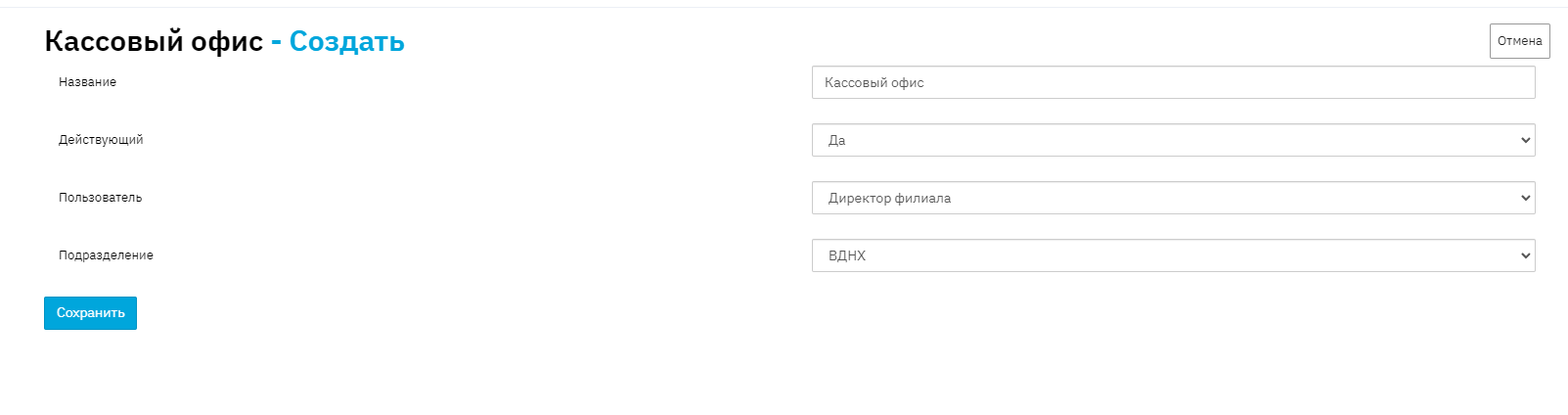
Name - the name of the cash register;
Active - indicates whether the cash register is active – if set to no, this cash register will not be displayed in the dropdown list when selecting cash registers.
User - select a user from the dropdown list. This field is necessary to later display the responsible person for the cash register in the Print Form.
Branch - specifies the branch to which the cash register is assigned.
To save the entered data, click "Save".