

Basic - Client List
This report contains information on all clients in the organization.
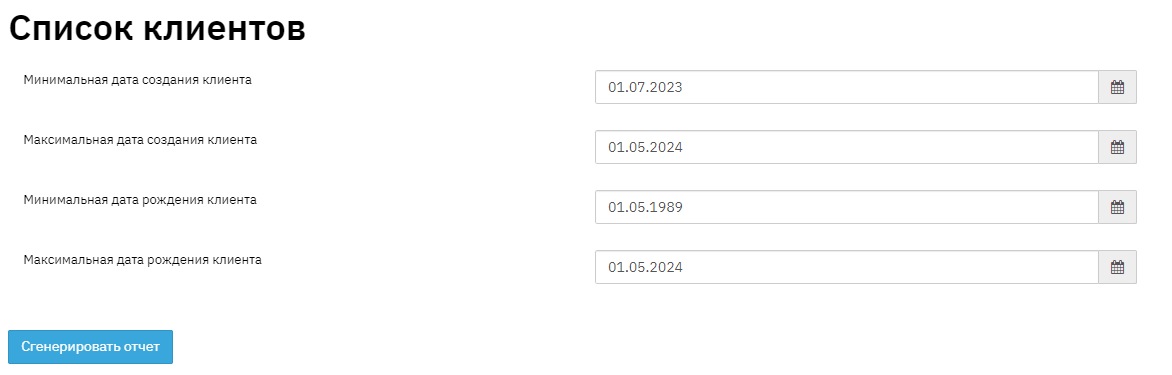
The elements contained in the report are interconnected. This instruction will show an analysis of the records and fields of the "Client List" report as of the current date. To obtain the report, you need to generate it by selecting "Report" - "Basic" - "Client List" from the taskbar, and clicking the "generate" button. Then select from the list of generated reports and download it to your PC.
- Field "No." this field displays the sequential number in the report list.
- Field "Client Full Name" this field displays personal information about the borrower – the client's full name. This information is displayed in the "Client" section.
- Field "Date of Birth" this field shows the client's date of birth. This information is displayed in the "Client" section.
- Field "Citizenship" this field shows the client's citizenship. This information is displayed in the "Client" - "Document" section.
- Field "Place of Birth" this field shows the client's place of birth. This information is displayed in the "Client" - "Personal Data" section.
- Field "Marital Status" this field shows the client's marital status. This information is displayed in the "Client" - "Personal Data" section.
- Field "Passport Data" this field shows the client's passport data. This information is displayed in the "Client" - "Document" section.
- Field "Department Code" this field shows the client's passport data. This information is displayed in the "Client" - "Document" section.
- Field "Registration Address" this field shows the client's registration address. This information is displayed in the "Client" - "Addresses and Details" section.
- Field "Residence Address" this field shows the client's residence address. This information is displayed in the "Client" - "Addresses and Details" section.
- Field "Phone Numbers" this field shows all phone numbers that were specified when creating the client. This information is displayed in the "Client" - "Addresses and Details" section.
- Field "Relatives" this field shows information about the client's relatives. This information is displayed in the "Client" - "Additional Information" section.
- Field "Organization / Educational Institution Name" this field shows information about the name of the client's organization and educational institution. This information is displayed in the "Client" - "Employment Information" section.
- Field "Organization / Educational Institution Address" this field shows information about the work or educational institution address. This information is displayed in the "Client" - "Employment Information" section.
- Field "User Who Created the Client" this field shows the user who entered the client into the system.
- Field "User Branch" this field shows the branch where the user is registered.
- Field "User Department" this field shows the department to which the branch belongs.
- Field "Client Manager" this field shows the manager working with the client. This information is displayed in the "Client" - "Service Information" section.
- Field "Client Manager Branch" this field shows the branch where the manager is registered.
- Field "Client Manager Department" this field shows the department to which the branch belongs.
- Field "Collateral" this field displays information about the client's collateral. This information is displayed in the "Collateral" section - search by client's full name
- Field "In SMS Mailing List" this field shows the SMS mailing indicator. This information is displayed in the "Client" - "SMS Mailing Widget" section.